| 1 |
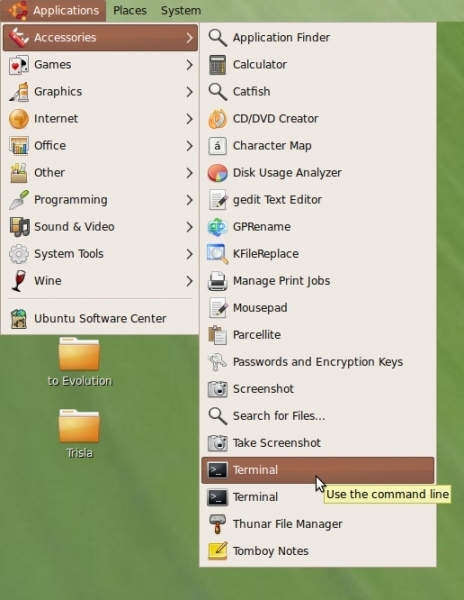 Firstly need to install "Blueman" simply go to Terminal by Applications > Accessories > Terminal |
| 2 |
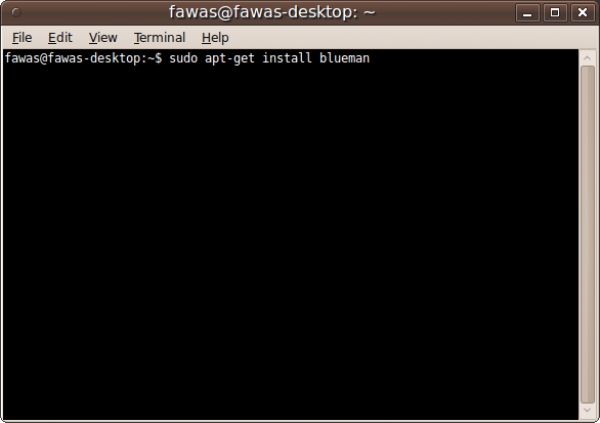 type or copy the code below to the terminal <Enter> and input the Password then wait for a while sudo apt-get install blueman |
| 3 |
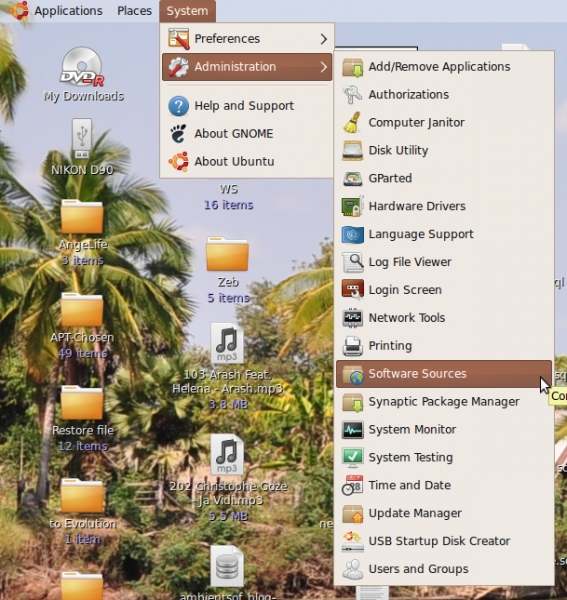 Only for UBuntu 9.10 there would be a little bit additional setting go to System > Administration > Software Source |
| 4 |
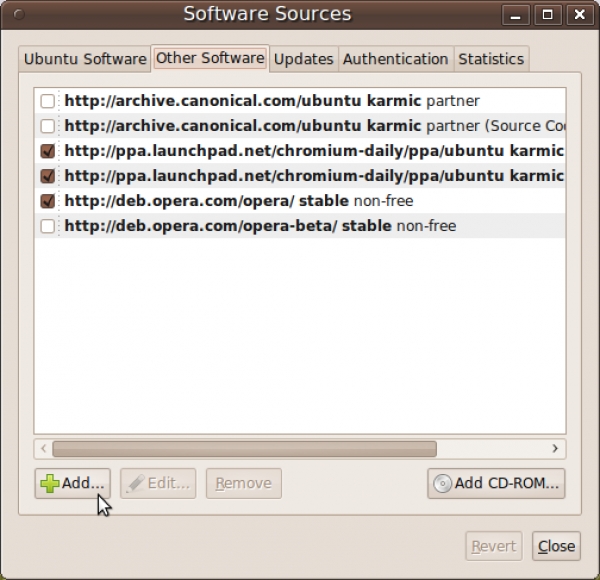 |
| 5 |
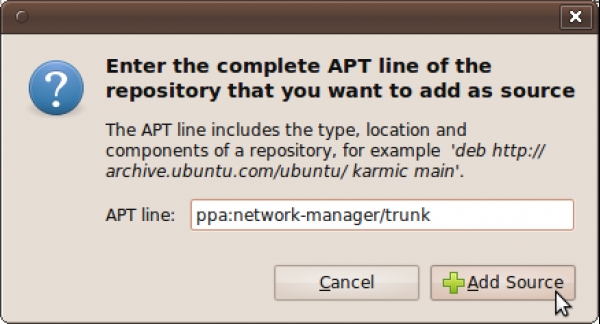 Type in box the below command ppa:network-manager/trunk then click Add Source |
| 6 |
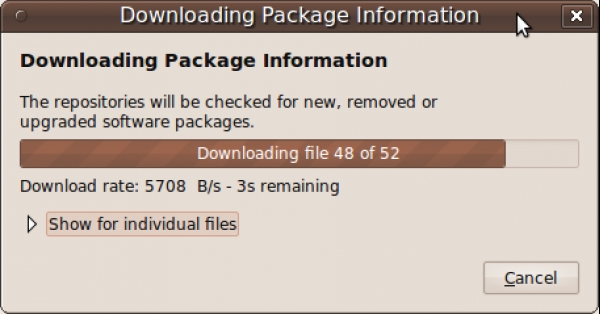
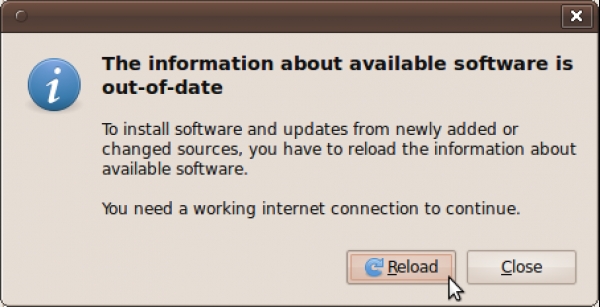 Click Close button to close the Software Source page then there would be another window pop up to ask "The information about available software is out-of-date" then Press Reload |
| 7 |
 |
| 8 |
 |
| 9 |
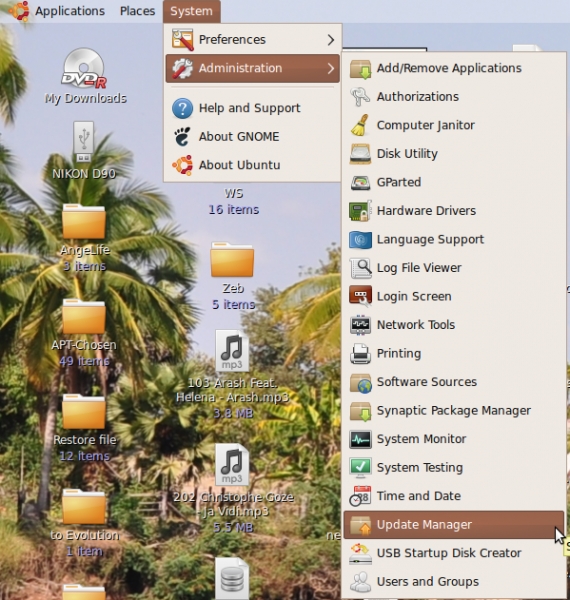
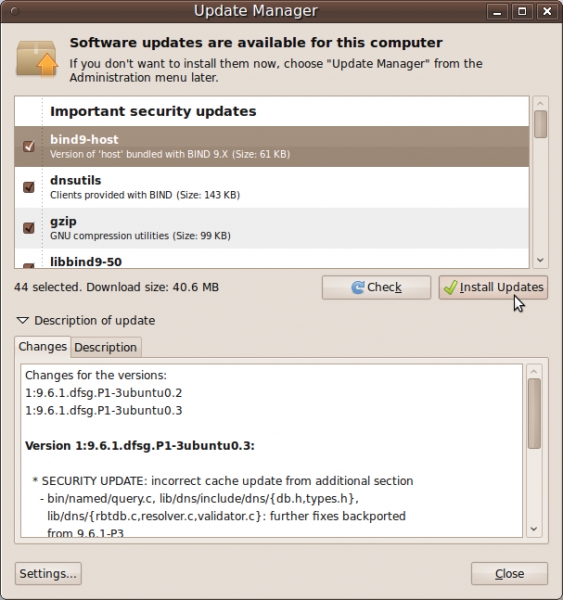 Click on Install Update button, wait until finish and Restart the computor. |
| 10 |
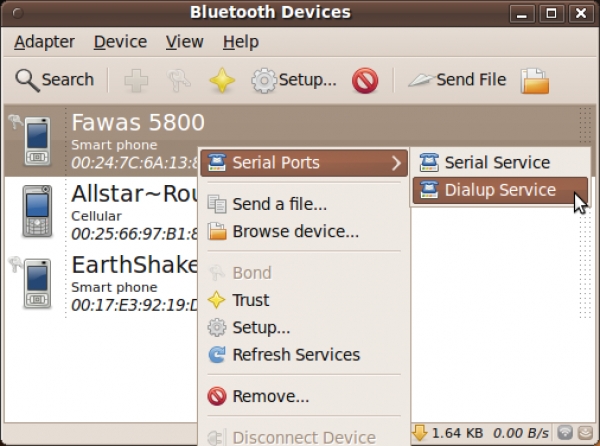 To using the Blueman at the first time - Open bluetooth in your mobile phone. - Click Bluetooth icon at task bar (Top-right of the screen) - Find the bluetooth device - Right-Click at the Device you desire to connect to the internet - Choose Serial Ports > Dialup Service |
| 11 |
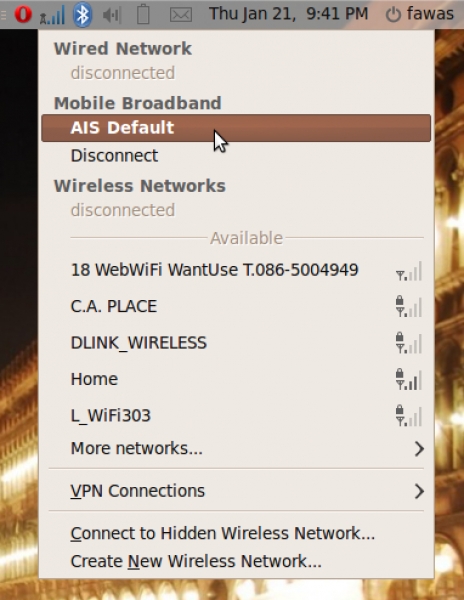 |
| 12 | Special thanks to Kasidit's Blog at http://www.clearevo.com/blog/ |

☰